https://weblucy.com/help/predefiniowane-moduly
In addition to using ready-made website templates, on our platform you also have at your disposal a whole library of ready-made elements to use on your website. This allows you to significantly speed up the work of building it, and at the same time keep the whole project at the highest quality.
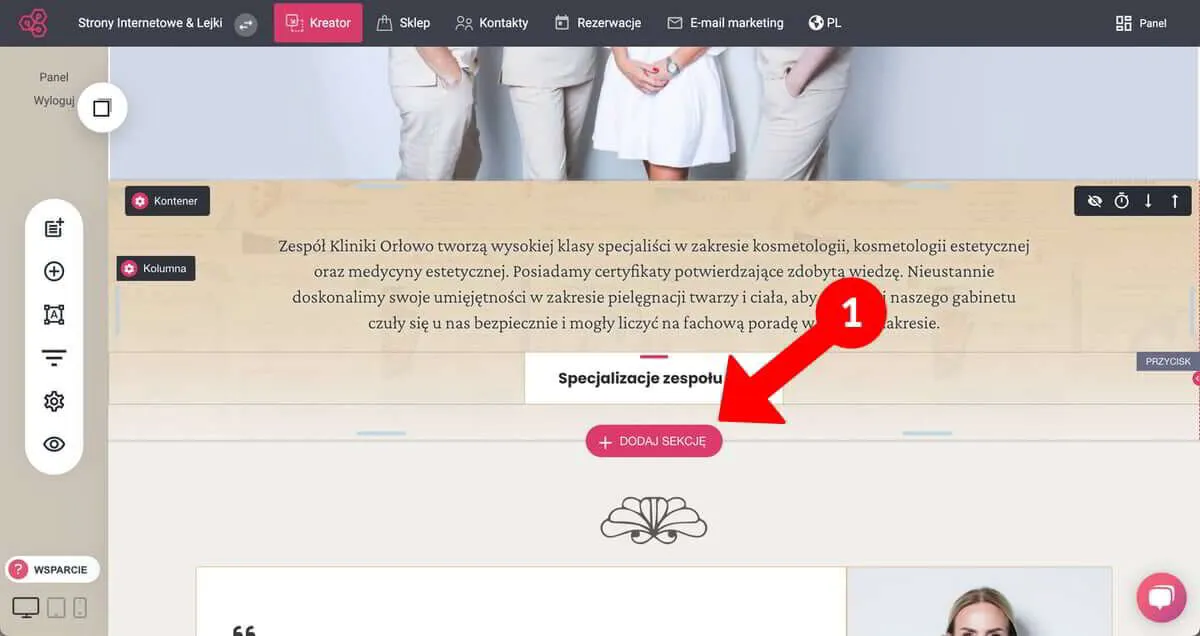
Select the place where you want to insert a new module, hover your cursor over it, and then click the "ADD SECTION" button that appears.
WEBLUCY - insert predefined module on the page
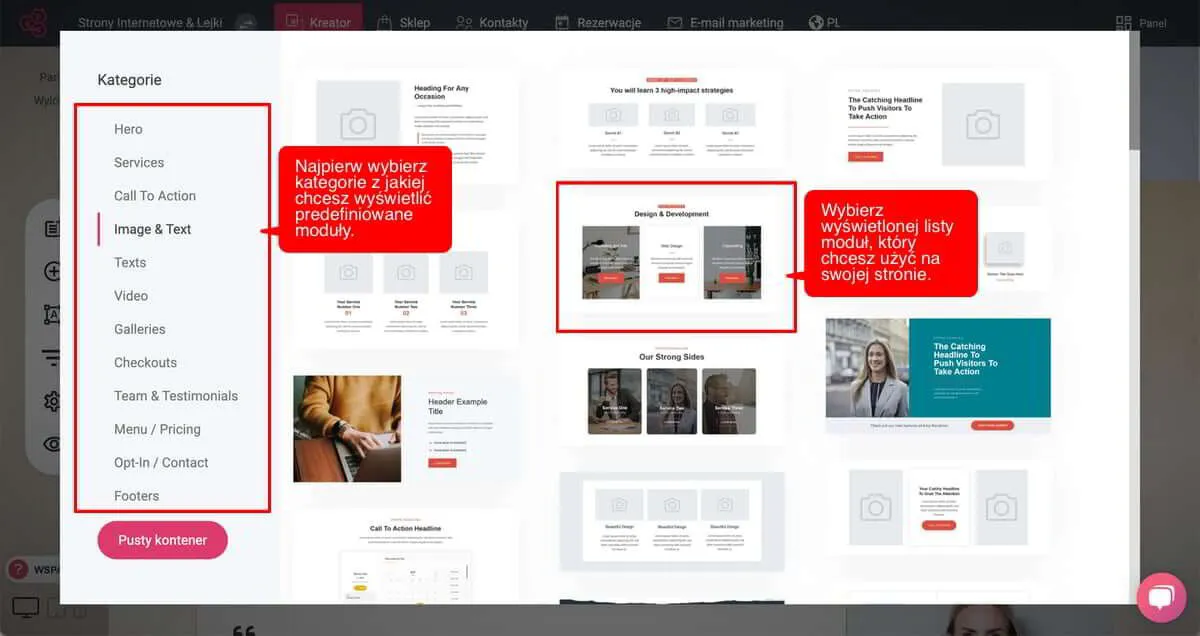
First of all, select the category from which you are looking for a ready-made module, and then from the list of displayed modules, choose the one that interests you.
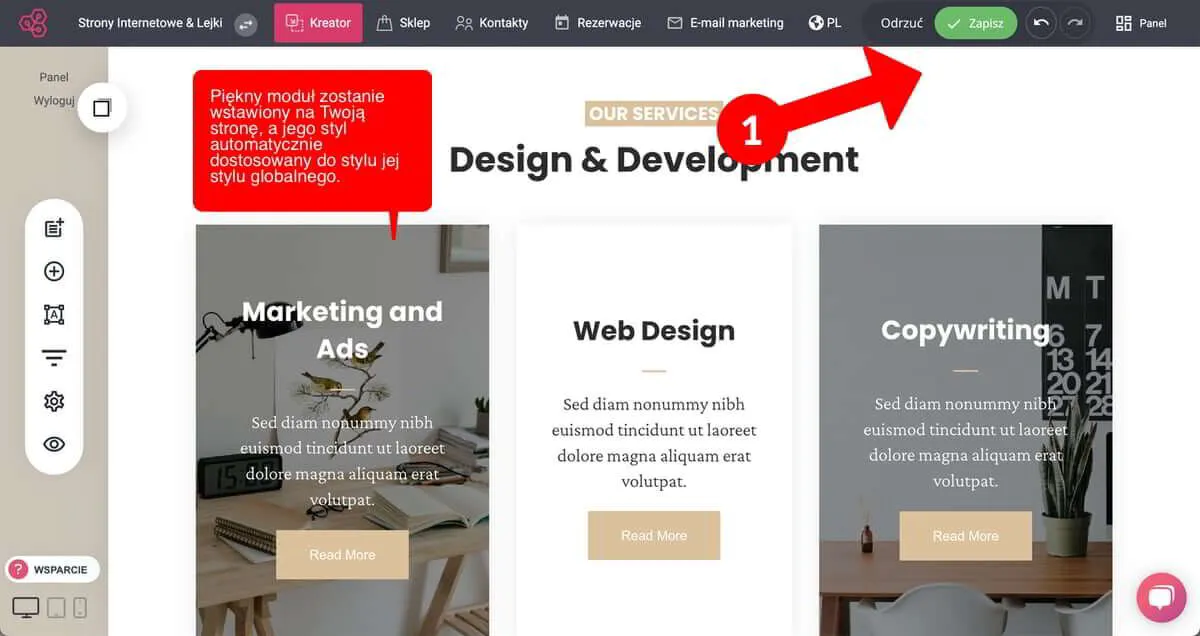
Once you select a module, it will be automatically inserted into your website or any other web asset you are building. In addition, its style will be adjusted to your global style settings in the project you are working on. Finally, all you have to do is (1) click the "Save" button and the changes will be published on your site. Of course, you can change any predefined module to any extent you want.
WEBLUCY - insert predefined module on the page